If you need to cancel an order that has not yet been executed on MERJ Exchange, follow these steps to remove your order before it is filled.
Access Open Orders
- Log in to the Trading Application.
- Navigate to Orders and locate the order you want to cancel.
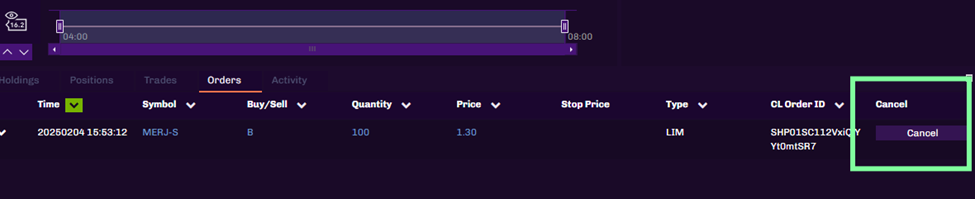
Select the Order to Cancel
- Click on the Cancel button next to the order you wish to remove. Once the order is cancelled, it will be removed from the orders screen.
